May 14, 2009
FLASH THEME for SE K850i
Want to have those themes on your phone??!!
Easy!
First you will need a flash theme (there must be 2 files. One in .thm and another in .swf)If you download your flash theme from zedge.com, the author will put the .swf link on the comments portion, bottom left side.
Then you will also need the A2uploader software! You can download it here or here
Now unzip the files (A2uploader and USBflash driver) and install them both on you PC.
Now follow this tutorial:
Putting Theme(.thm)
1. Put .thm file in your Theme folder of phone by normal way. No need telling how
Putting Flash Menu (.swf)
a. Starting A2 uploader
Run A2uploader. When you do this sometime your anti virus will say that there is a virus because your anti virus recognizes the A2uploader as a virus.Ignore it. It is OK. If fails to open then try to disable your anti virus first when you are operating this software.
b. Connecting Phone
i.Switch off your mobile
ii. Start A2 uploader
iii. Click on "File System Tool"
iv. Press and hold C on phone
v. Connect phone to usb port
vi. It will take 15 sec approx for A2uploader to recognize phone. Let go of C when "Ready" is written.
c. Uploading Flash menu
i. The small window on right of A2uploader named Files will be showing phone's system folders
ii. Goto tpa/preset/system/desktop/flash
iii. Drag drop the Flash Menu (swf)
iv. Click on "Shutdown FS Manager"
d. Running Flash Menu
i. Take out battery. Reinsert it
ii. Turn on Phone
iii. Set Theme
(PS: Donot change flash menu (swf)'s name)


May 12, 2009
Solving Certificate Error problems
Some of you may have experienced the certificate error when installing a theme on your phone. Now there is a solution for it!We can do with the unsis software. Unsis is quote " a tool to extract and examine the contents of SIS files". With this file you can also use any .sis theme for you symbian phone!
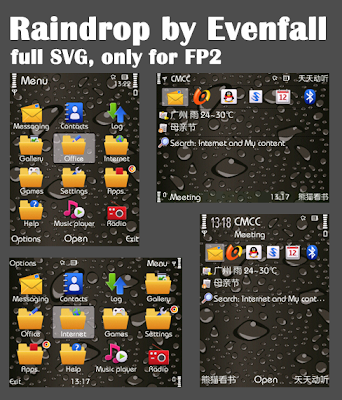
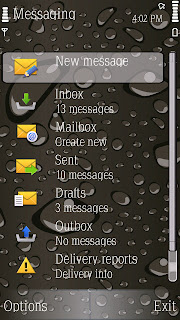
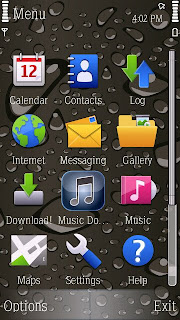
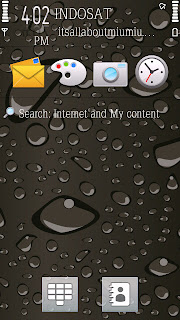
I tried to unsis the Raindrops by Evanfall which was not suitable for my phone (5800XM) so that now I can install it on my Nokia 5800.
See the screenshot below!
Download the unsis software here
then do the following steps
You'll need the usb cable for connecting phone to pc
1. Install unsis to your PC and open it
2. choose "Open SIS" on bottom left
3. choose the theme you want to reinstall
4. click on "Extract"
5. after a few seconds (sometimes more ) it'll be "Completed"
6. you can now close the program
7. go into the PC installation folder (usually C:/Unsis)
8. there should be a folder called "Temp"
9. inside you should find "private"-> "10207114"-> "import"-> "some folders (just one ifyou extracted just one theme) with different names (numbers and letters in most cases)"
10. go inside the folders and search for the one of the theme you are interested in, there'll be 4 files:
a ) NameOfTheFolder.ini
b ) NameOfTheTheme.mbm
c ) NameOfTheTheme.mif
d ) NameOfTheTheme.skn
11. ok? now, leave this folder open and connect phone to pc using the usb cable
12. choose "Mass storage" option. Note: you can also insert memory card into a memory card reader
13. in your phone, find the folder called "private" . If you don't see it, you need to choose the visualization of hidden files and folders
14. in the "private" folder, find "10207114" folder and then "import" folder
15. in "import" there are your themes, here you should find the themes you installed into the memory card
16. don't close this folder but come back to the folder where you extracted the theme with unsis
17. just click "back" so you can see your folder selected into the "import" folder
18. choose all the folder and select "copy"
19. go back to the "import" folder in the phone's memory card
20. right click and "paste" into the "import" folder
21. here we are, now your theme is again in the memory card
22. just restart the phone and check that the theme is in the themes menu list, if it isn't, you'll need to repeat the recovery process.
(thx to Wing Wizard from dailymobile.se)
I tried to unsis the Raindrops by Evanfall which was not suitable for my phone (5800XM) so that now I can install it on my Nokia 5800.
See the screenshot below!


Download the unsis software here
then do the following steps
You'll need the usb cable for connecting phone to pc
1. Install unsis to your PC and open it
2. choose "Open SIS" on bottom left
3. choose the theme you want to reinstall
4. click on "Extract"
5. after a few seconds (sometimes more ) it'll be "Completed"
6. you can now close the program
7. go into the PC installation folder (usually C:/Unsis)
8. there should be a folder called "Temp"
9. inside you should find "private"-> "10207114"-> "import"-> "some folders (just one ifyou extracted just one theme) with different names (numbers and letters in most cases)"
10. go inside the folders and search for the one of the theme you are interested in, there'll be 4 files:
a ) NameOfTheFolder.ini
b ) NameOfTheTheme.mbm
c ) NameOfTheTheme.mif
d ) NameOfTheTheme.skn
11. ok? now, leave this folder open and connect phone to pc using the usb cable
12. choose "Mass storage" option. Note: you can also insert memory card into a memory card reader
13. in your phone, find the folder called "private" . If you don't see it, you need to choose the visualization of hidden files and folders
14. in the "private" folder, find "10207114" folder and then "import" folder
15. in "import" there are your themes, here you should find the themes you installed into the memory card
16. don't close this folder but come back to the folder where you extracted the theme with unsis
17. just click "back" so you can see your folder selected into the "import" folder
18. choose all the folder and select "copy"
19. go back to the "import" folder in the phone's memory card
20. right click and "paste" into the "import" folder
21. here we are, now your theme is again in the memory card
22. just restart the phone and check that the theme is in the themes menu list, if it isn't, you'll need to repeat the recovery process.
(thx to Wing Wizard from dailymobile.se)
Samsung I850 Theme on Nokia 5800 XM


Wonder how this samsung theme can be on Nokia 5800 XM???
Download the zip file here and do the following steps:
1. Unzip the file, there will be 4 files then.
2. Make a folder with name 20003AF9
3. Drag all four files into the 20003AF9 folder
4. Connect your phone in Storage mode or use card reader.
5. Go to your memory card and find folder 'Private' -> 10207114 -> import. There you will find all your themes files. If you don't see this folder then it must be hidden. Go to your Folder options then show all hidden data (or something)
6. Copy 20003AF9 folder (with the 4 files inside) to this import folder
7. Restart your phone. Do it quickly by pressing the power button choose options Remove Memory card. Then Go to Setting -> phone -> Language. Choose any language. Then will need to confirm change language. Yes and the phone will restart it self.And find Spazio in your themes.
May 6, 2009
Memory Card Problems on Nokia 5800

I hate when I am facing another memory card problems on my Nokia 5800
Yesterday after I installed another theme on my nokia 5800 and then I wanted to apply the new theme suddenly my phone was blank and restarting it self!!!
What an annoying things!!
I faced this problem (the phone restarting it self) many times!
And everytime it happened it was because of the memory card...
I don't know what is wrong with the included 8GB memory card?!
I couldn't find Nokia brand on it or even other brand.
Is it nokia original accesories or what?
The Quality is very bad and its driving me crazy when something wrong with it!
Now I bought 4GB San Disk MicroSD card for my Tube. I hope There won't be any problem with it!
May 1, 2009
Flash Game Nokia 5800
Stumbled upon some Flash (ShockWave Flash) games which work on the Nokia 5800 XM. All files are .swf files.
U need to simply copy them anywhere on your Memory Card. To run these games you simply have to browse thru the File Manager and open the .swf file or go to Gallery>Other Media. Enjoy !!!
(rohangk from Dailymobile.se)
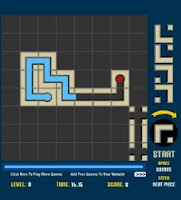
Download Pipe Mania
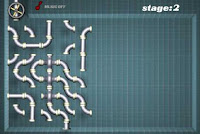
Download Plumber
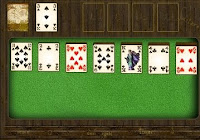
Download Solitaire
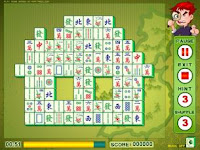
Mahjong

Download BattleShip2
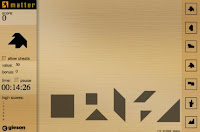
Download Matter Puzzle
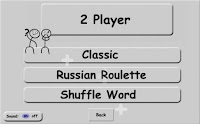
Download Hangman
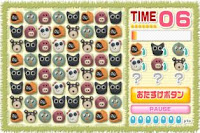
Download Funfun Animals
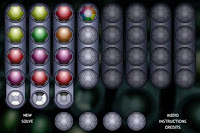
Download Deduction

Download Burger Tycoon
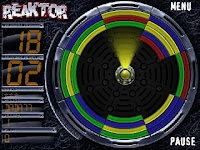
Reaktor
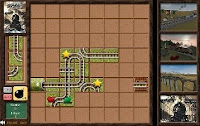
Download Train

Morning After
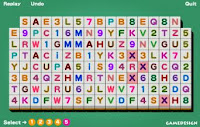
Download 3Lines
Go to www.dailymobile.se to download them all
Thanks to Rohangk for sharing!
U need to simply copy them anywhere on your Memory Card. To run these games you simply have to browse thru the File Manager and open the .swf file or go to Gallery>Other Media. Enjoy !!!
(rohangk from Dailymobile.se)

Download Pipe Mania

Download Plumber

Download Solitaire

Mahjong

Download BattleShip2

Download Matter Puzzle

Download Hangman

Download Funfun Animals

Download Deduction

Download Burger Tycoon

Reaktor

Download Train

Morning After

Download 3Lines
Go to www.dailymobile.se to download them all
Thanks to Rohangk for sharing!


Iphone Icons Collections
Make your own Nokia 5800 themes with Iphone Icons collections
If you have the theme maker or make them online.
Go here and theme your phone!!
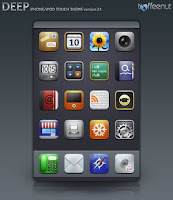
Download Deep 2.1 iPhone Theme

Download ChocoMilk iPhone Theme
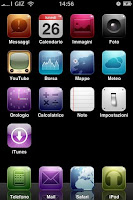
Download Camtessa SummerBoard Iphone Icons

Download Icons iPhone brazilian
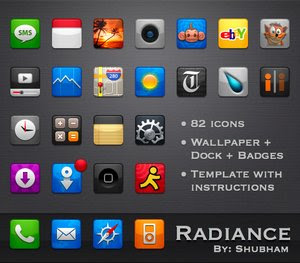
Download Radiance theme for iPhone

Download Aquaticus v1.0 by marcelomarfil

Download iPhone Icons Pack by markinhusp

Download REDUX SummerBoard Theme by m0rphzilla
If you have the theme maker or make them online.
Go here and theme your phone!!

Download Deep 2.1 iPhone Theme

Download ChocoMilk iPhone Theme

Download Camtessa SummerBoard Iphone Icons

Download Icons iPhone brazilian

Download Radiance theme for iPhone

Download Aquaticus v1.0 by marcelomarfil

Download iPhone Icons Pack by markinhusp

Download REDUX SummerBoard Theme by m0rphzilla
Subscribe to:
Posts (Atom)


 Posts
Posts


