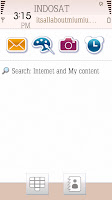
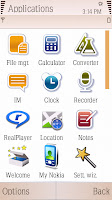
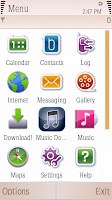
Wonder how this samsung theme can be on Nokia 5800 XM???
Download the zip file
here and do the following steps:
1. Unzip the file, there will be 4 files then.
2. Make a folder with name 20003AF9
3. Drag all four files into the 20003AF9 folder
4. Connect your phone in Storage mode or use card reader.
5. Go to your memory card and find folder 'Private' -> 10207114 -> import. There you will find all your themes files. If you don't see this folder then it must be hidden. Go to your Folder options then show all hidden data (or something)
6. Copy 20003AF9 folder (with the 4 files inside) to this import folder
7. Restart your phone. Do it quickly by pressing the power button choose options Remove Memory card. Then Go to Setting -> phone -> Language. Choose any language. Then will need to confirm change language. Yes and the phone will restart it self.And find Spazio in your themes.


 Posts
Posts


